Channel breakdown
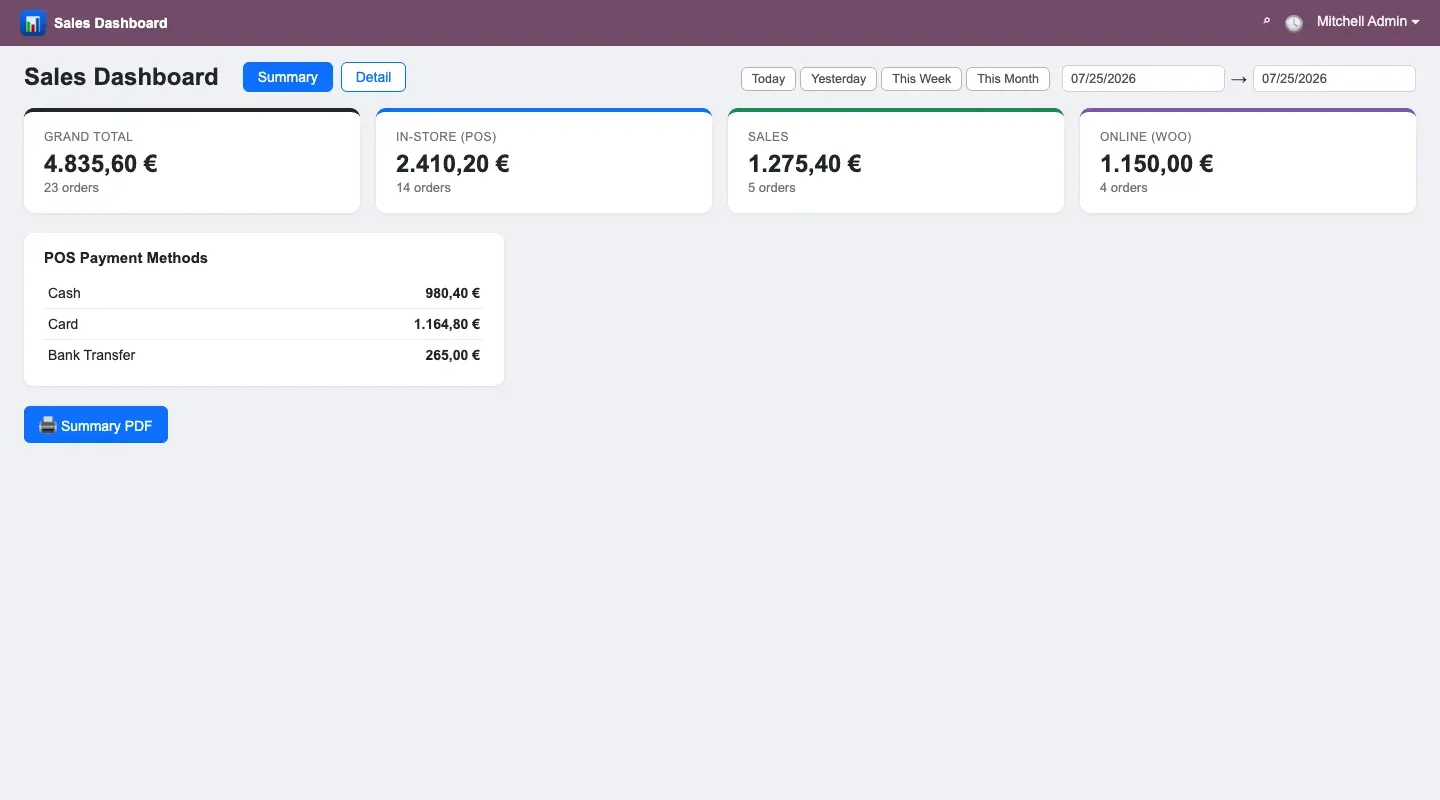
In-store, sales orders and online are totalled separately, so what each channel brought in is visible at a glance.
ODOO APPS Module

Shop, sales and online revenue on one screen, with a daily PDF report.
In a business that sells at the till, through orders and on the website, seeing the day’s total means visiting three screens. This dashboard puts them together: channel breakdown, POS payment methods and a line-by-line list in one place. At the end of the day it produces two PDFs, one summary and one detailed.
Open on Odoo Apps · €49.99 kodla_sales_dashboard

In-store, sales orders and online are totalled separately, so what each channel brought in is visible at a glance.
Cash, card and any other defined methods are totalled separately, so at cash-up you know which figure should match.
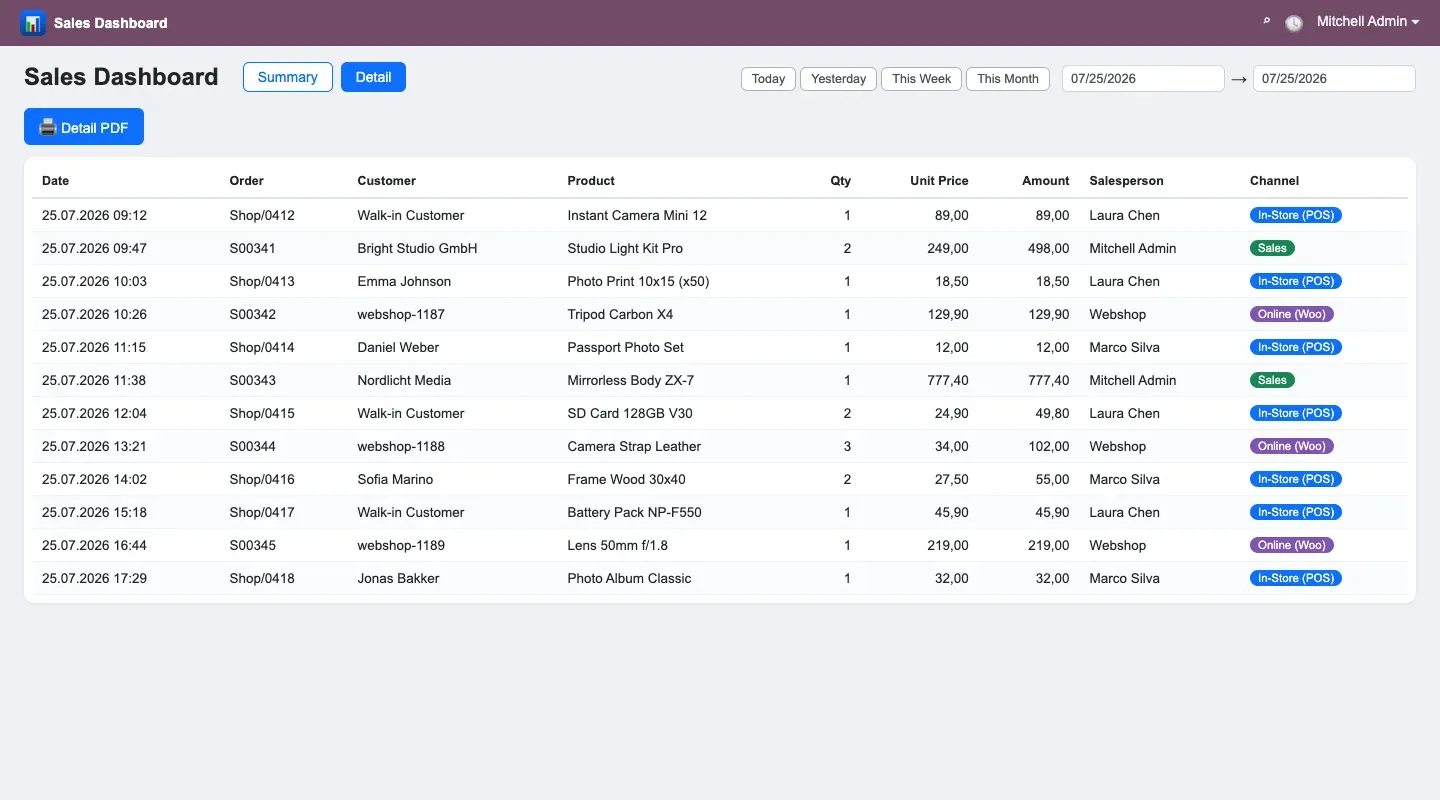
Every line carries customer, product, salesperson, channel, unit price and amount, with refund lines flagged.
Today, yesterday or any chosen range. The figures are read live rather than depending on an overnight aggregation job.
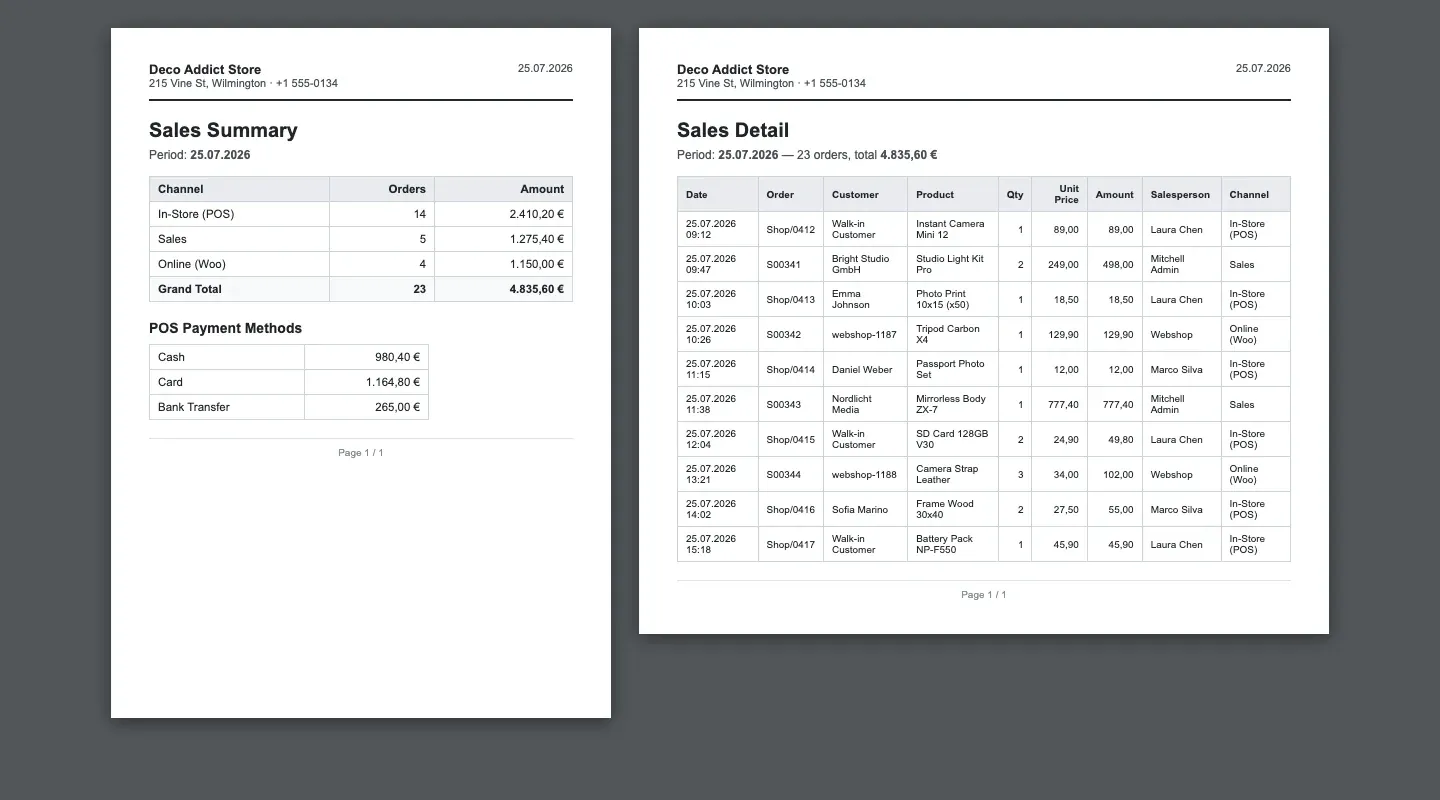
The summary report gives the totals and the detail report every line, both ready to send to accounting or to the owner.
Retailers selling at the till and online at the same time; owners who want one number at the end of the day.
You can buy a module and install it yourself. If it needs changing to fit your business, or porting to another Odoo version, we do that too.
 Advanced Technical Service for IT A whole repair workshop: from device intake to a signed hand-over.
  Market - Multi-Currency POS Take lira, dollars, euros and pounds at the till, with live rates from the TRNC Central Bank.
  Market - Price Check System An in-aisle price check screen: scan the barcode, see the product and its price.
 Tell us what you have in mind; within two working days we come back with scope, timeline and a budget.