Scan and see the price
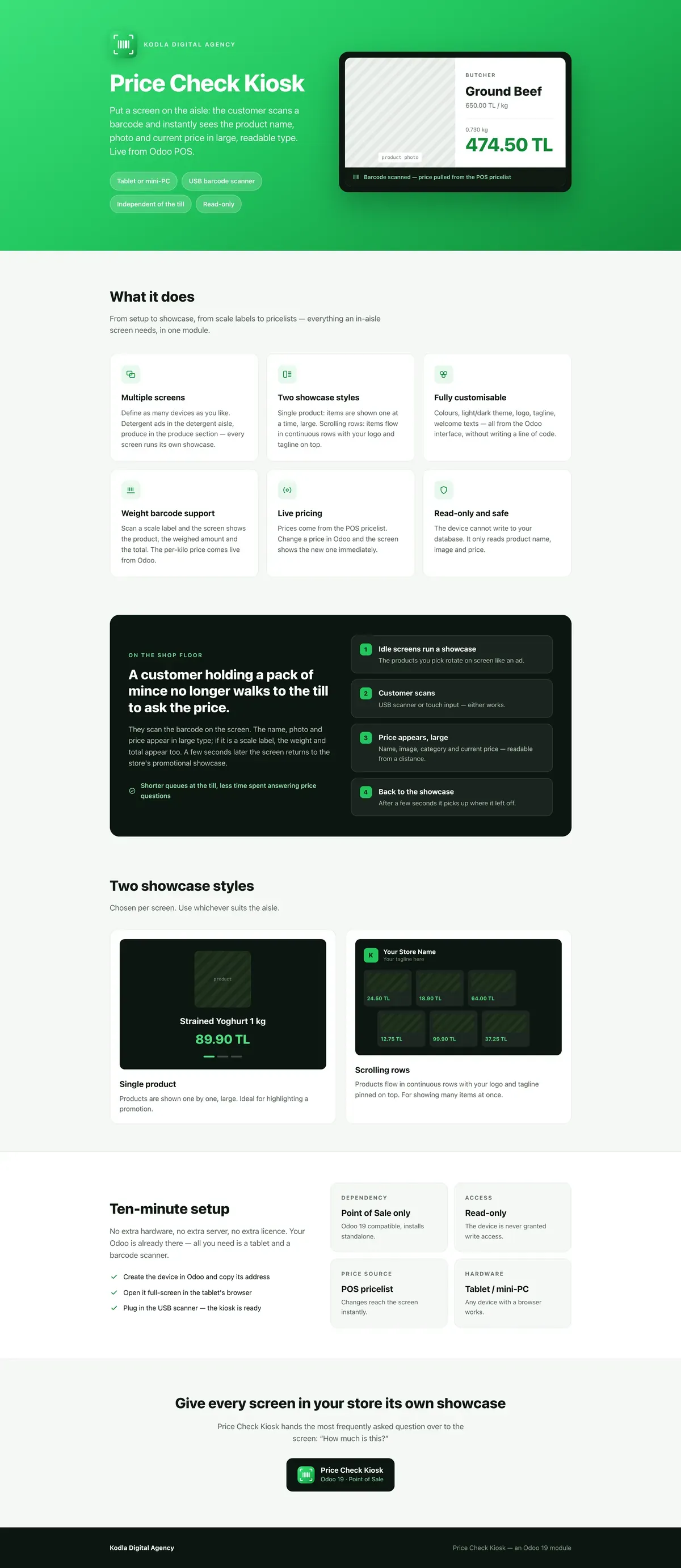
The item passed over the attached scanner appears with its name, picture and price in large type, then the screen returns to standby after a few seconds.
ODOO APPS Module

An in-aisle price check screen: scan the barcode, see the product and its price.
A shopper carries an unpriced item all the way to the till, waits in the queue and abandons it if the price is not what they hoped. A screen in the aisle shortens that walk. The module reads the POS product and price data rather than keeping a second list, so a price change at the till changes the screen too.
Open on Odoo Apps · €99 market_price_checker
The item passed over the attached scanner appears with its name, picture and price in large type, then the screen returns to standby after a few seconds.
Each aisle gets its own screen with its own address, and all of them are managed from one place.
Logo, heading, tagline and accent colour are configurable, so the screen looks like the shop rather than like generic software.
When idle the screen either shows one product large or scrolls through promoted items, chosen to suit where the screen stands.
Barcodes printed by the scale are decoded, so the product is recognised correctly and the amount is shown for the weight measured.
The presentation sheet from the Odoo Apps listing, as it is.
Supermarkets, greengrocers and hardware stores where the range is wide and shelf labels are hard to keep current.
You can buy a module and install it yourself. If it needs changing to fit your business, or porting to another Odoo version, we do that too.
 Advanced Technical Service for IT A whole repair workshop: from device intake to a signed hand-over.
  Market - Multi-Currency POS Take lira, dollars, euros and pounds at the till, with live rates from the TRNC Central Bank.
  Sales Dashboard | POS & Sales Daily Report Shop, sales and online revenue on one screen, with a daily PDF report.
 Tell us what you have in mind; within two working days we come back with scope, timeline and a budget.