Banks and card types
Each bank is defined with its name, logo and card type, so the table shows brands the customer recognises instead of a generic “installments” line.
ODOO APPS Module

A bank-branded installment table on the product page: which card, how many months, how much each.
In a shop that sells on installments the first question is “how many months”. If that is not on the product page the customer calls or gives up. The module lets you define banks, terms and interest in the back office and puts a bank-branded table on the product page. The monthly and total amounts are calculated from the product price rather than maintained by hand.
Open on Odoo Apps · €25 kodla_bank_installment_table
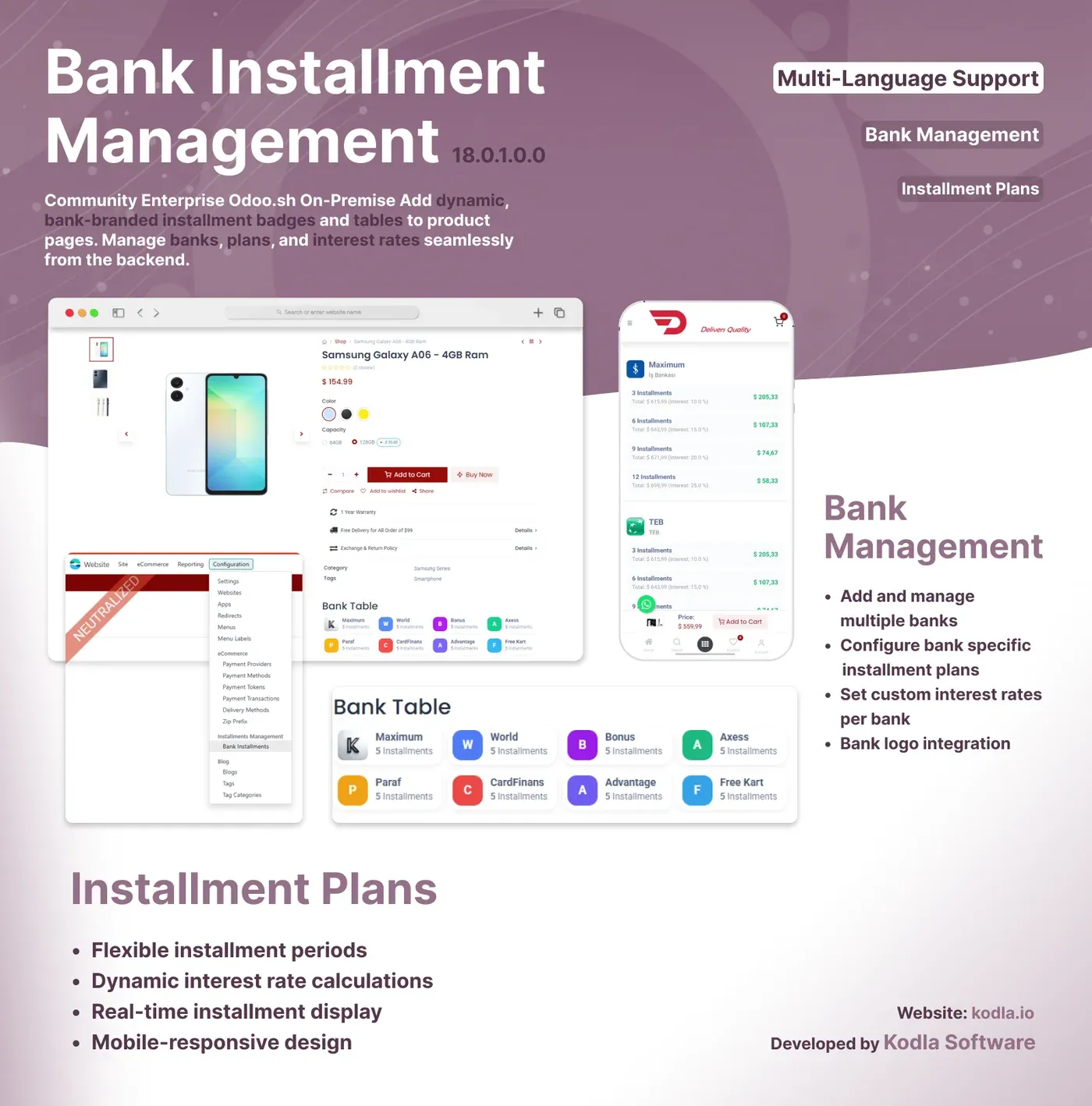
Each bank is defined with its name, logo and card type, so the table shows brands the customer recognises instead of a generic “installments” line.
The number of installments and the rate are entered per bank, and the monthly and total amounts are calculated from the product price.
A short badge next to the price and a detailed table below it, so the customer sees the maths without leaving the page.
Table background, text and logo colours are set separately so the table fits the site’s identity.
There is an active flag per bank or plan, so when a campaign ends the record is switched off rather than deleted.
Online shops selling appliances, electronics or furniture, or anything else normally bought in installments.
You can buy a module and install it yourself. If it needs changing to fit your business, or porting to another Odoo version, we do that too.
 Advanced Technical Service for IT A whole repair workshop: from device intake to a signed hand-over.
  Market - Multi-Currency POS Take lira, dollars, euros and pounds at the till, with live rates from the TRNC Central Bank.
  Market - Price Check System An in-aisle price check screen: scan the barcode, see the product and its price.
 Tell us what you have in mind; within two working days we come back with scope, timeline and a budget.